We use cookies to improve your experience and keep DungeonFog running smoothly. Accept all cookies or customize your choices. Details are in our Privacy Policy.
(Still no real cookies, sadly.)
If you have an old map that you would like to recreate in DungeonFog, you can use the blueprint tool.
Blueprints are an overlay that show you the map image you have uploaded as a reference to recreate the map.
Blueprints are a reference only. To prevent infringements on intellectual property, we hide the blueprint on export and in the player's version of the viewer.
In this video, we explain the details of the blueprint feature:

To access blueprints, use the selection tool and select the stage.
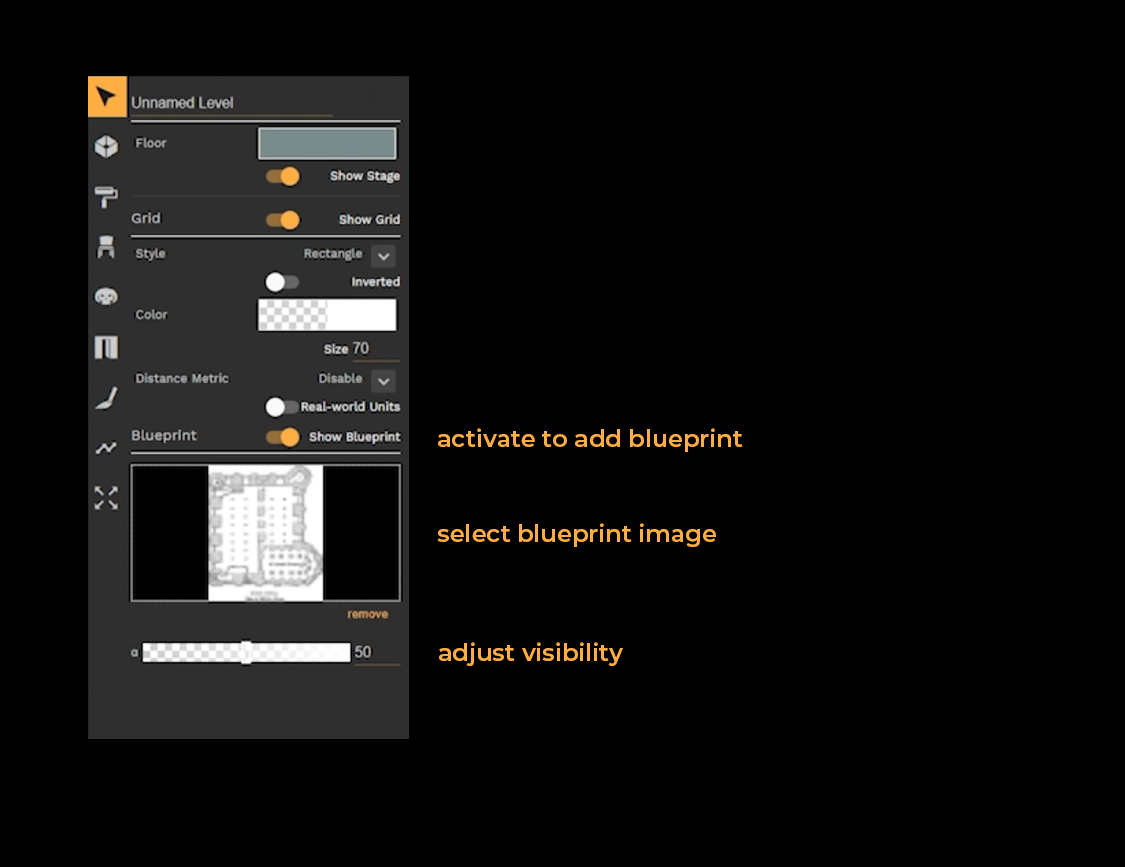
The blueprint manager allows you to upload images and use them as blueprints.
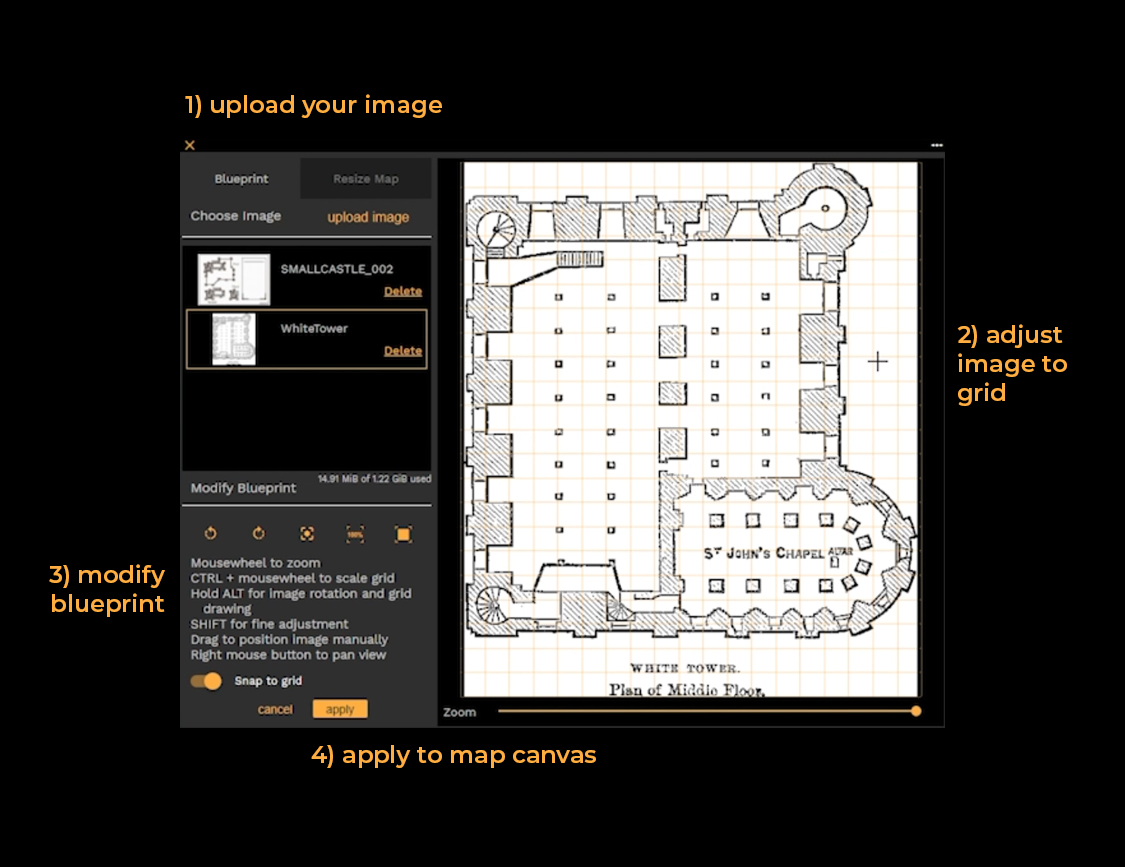
Upload your image - Switch to "Resize map" to adjust your map and align it to the image.
Preview area - Make fine-adjustments to match image and grid.
CTRL+SCROLL - zoom the preview area
SPACE+left - mouse to pan the view
SHIFT+SCROLL (or arrow keys) - Fine-adjust position
ALT+SCROLL - rotate image
ALT+click & drag - to draw new grid
Once you are ready apply the setup to your image and the blueprint will be added to your editor canvas.